
Can You Mix GMSL2 Camera Brands on One AMR
Mix Camera Brands Only When the Complete Configuration Is Supported
Yes, an autonomous mobile robot can use cameras from different manufacturers on a shared GMSL2 platform. The useful purchasing question is whether the proposed combination is supported together: the exact cameras, active streams, host computer, capture hardware, software versions, timing behavior, and replacement procedure. A shared interface name cannot answer that question.
The distinction became more relevant on October 22, 2026, when Advantech announced its UniCAM demonstration at NVIDIA GTC Berlin. Running on its Jetson Thor based AFE-A702 controller, the solution detects supported cameras and configures their settings within Advantech Robotic Suite. The announcement describes initial Thor support and expansion toward other computing platforms. It establishes a concrete route toward easier integration; it does not promise unrestricted interchangeability between every camera carrying a GMSL2 label.
For an AMR builder, the attraction is practical. A wide view camera may suit navigation, a different depth camera may suit pallet approach, and a compact camera may fit a docking recess. Combining their strengths can avoid forcing every task into one manufacturer's product range. It can also create another dependency: somebody must keep that particular combination working after the next driver update or spare part substitution.
Buyers should therefore compare supported configurations, not count compatible logos. A platform that lists four brands might approve only selected models, selected stream profiles, or selected port arrangements. A simpler two-brand system with a reproducible release package and one accountable support owner may be the better production choice.
The purchasing unit is a validated camera system. Individual cameras remain separately identifiable components, but the acceptance record must describe what operates concurrently and who supports the complete result.
Start with the job each camera must perform
Write one operational purpose for each proposed camera before discussing a brand substitution. Define the required view, useful measurement range, operating light, installation space, and output consumed by the robot. Then distinguish a camera that adds information from one that merely duplicates a convenient development setup. Mixing brands is justified by a measurable capability or sourcing benefit, not by diversity alone.
Turn the Compatibility Claim into a Purchasable Configuration
What is GMSL, and what does that tell a buyer?
GMSL means Gigabit Multimedia Serial Link. It uses serializer and deserializer devices to transport data between endpoints; GMSL2 identifies the second generation. This describes a transport technology rather than a universal camera application interface. A GMSL camera still has sensor behavior, firmware, image formats, controls, and software requirements that its receiver must understand.
Analog Devices' MAX96717/F/R user guide illustrates why exact identifiers matter: members of the same serializer family differ in supported link rates and other capabilities. The configured transport mode and video format also matter. A family name, connector photograph, or generic declaration of GMSL2 support is therefore insufficient evidence for substituting one camera into another camera's port.
Ask the supplier to attach a configuration schedule to its quotation. It should be specific enough for another engineer to rebuild the proposed system without relying on the salesperson's demonstration laptop. Product names belong in that schedule, but so do revisions and operating profiles.
| Configuration item | What the supplier should identify | Why the purchasing decision needs it |
|---|---|---|
| Camera endpoints | Model, hardware revision, firmware, serializer variant, lens or optical option | Defines the actual devices included in the compatibility claim |
| Receiving hardware | Controller, carrier revision, deserializer devices, port assignment | Distinguishes the delivered assembly from a similar development kit |
| Operating profile | Every simultaneous stream, format, resolution, frame rate, exposure mode | Prevents a low-load demonstration from standing in for production operation |
| Software release | OS image, kernel, board support package, drivers, SDKs, configuration files | Makes successful integration reproducible and changeable under control |
| Support boundary | Approved combinations, exclusions, issue owner, replacement process | Shows what the supplier will actually help restore after a fault |
For each line, distinguish “demonstrated,” “supported for this order,” and “planned.” These are procurement statuses, not interchangeable descriptions. An integration shown at a trade fair can justify an evaluation, while production approval still requires the configuration that will ship, its documentation, and agreed acceptance conditions.
Also ask what the supplier means by a unified GMSL camera interface. It might unify discovery and basic controls while leaving depth processing, calibration retrieval, or advanced exposure functions in separate SDKs. That can still be valuable. The buyer needs the boundary stated clearly so that the application's remaining integration work is visible in the quotation.
Specify the Connections as Part of the System

A procurement drawing should identify every approved GMSL2 camera connection from camera housing to receiving board. Include the cable assembly, both mating connectors, intermediate bulkheads, routing, and power arrangement. Two products can present similar connector shells while requiring different electrical or configuration conditions.
A GMSL2 connector description must therefore go beyond a visible shape. Request the manufacturer's mating part, keying, pin or contact assignment, retention method, and permitted adapter arrangements. Confirm those details against the assembly being purchased. A photograph is useful for installation work, but it is not an electrical compatibility record.
Analog Devices' hardware design and validation guide treats the cable channel, board design, and power delivery as system engineering concerns. It also explicitly distinguishes guidance from guaranteed device specifications. For a buyer, the implication is to obtain approval for the installed assembly rather than infer electrical margin from successful operation on a short bench cable.
Order a cable assembly, not a length of coax
Specify a GMSL2 cable by an approved assembly number and installation conditions. Length alone leaves out connector transitions, bend requirements, routing near power electronics, mechanical protection, and whether a section moves during service or robot operation. If a cable passes through a mast or articulated cover, establish the relevant movement conditions rather than assuming a stationary installation rating covers them.
Where power is delivered over coax, document which component supplies it, the approved camera voltage and load conditions, and the protection arrangements. Where the camera uses a separate supply, document that boundary instead. Do not authorize an adapter simply because it makes the connectors mate. Require the supplier to confirm the complete electrical arrangement before energizing a changed assembly.
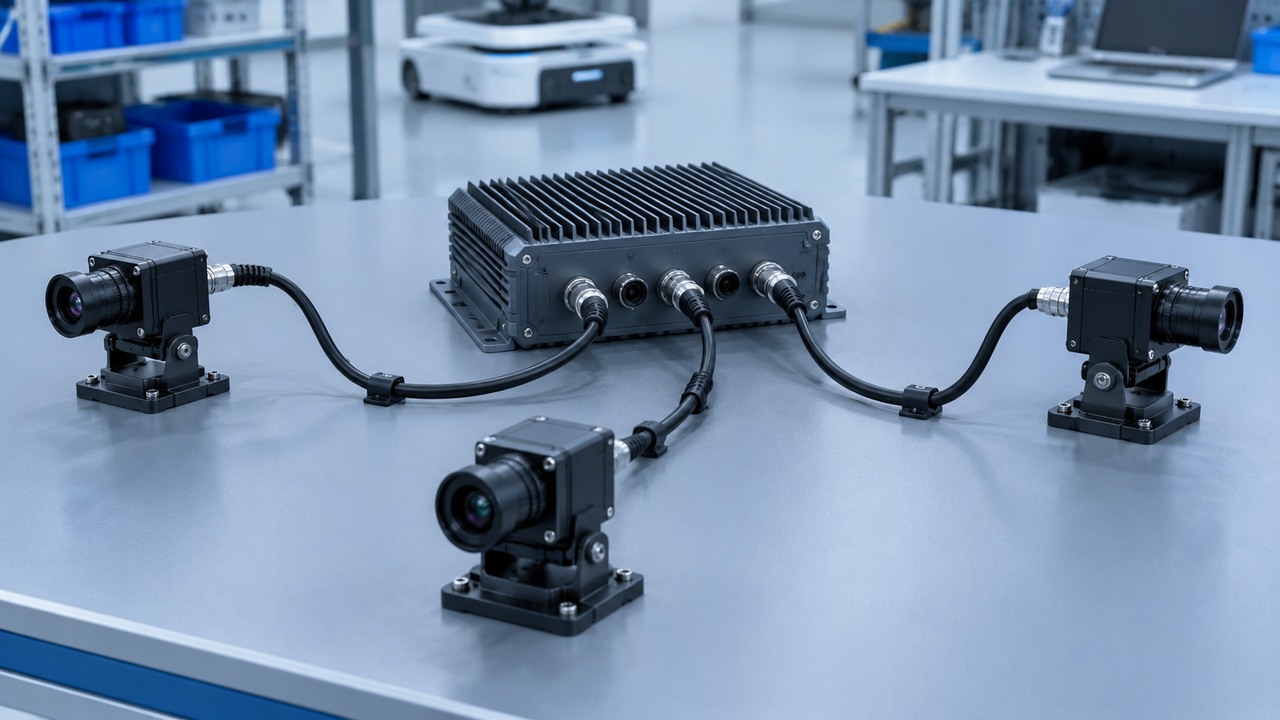
The GMSL deserializer board also deserves its own purchasing description. Identify how its camera ports share receiving interfaces, power resources, reset controls, and host connections. Four visible ports do not establish that any four cameras can operate together at their preferred settings. A port count is an installation attribute; an approved concurrent stream profile is an operating capability.
Record the final GMSL2 camera connections in a numbered drawing tied to camera serial numbers and mounting positions. That drawing supports both assembly and service. A technician should be able to establish whether the left-side camera is on its intended port without opening application source code or relying on a label that disappeared when a cable was replaced.
Require the Full Stream Combination to Run at Once
A camera passing an isolated test says little about the proposed mixed system's busiest operating state. The purchasing specification should name that state explicitly. If the robot needs navigation imagery, pallet depth, docking imagery, and diagnostic recording together, the acceptance run must exercise that combination rather than rotate through separate demonstrations.
List the streams that cross each link and the streams created later in software. A stereo device may expose more than one image stream. A depth output may be generated on the camera or computed on the host. Those alternatives produce different transport and compute demands. Count the actual delivered architecture; do not automatically add a host-generated depth map to the camera link budget.
Use a GMSL2 bandwidth calculation as a lower bound
The following hypothetical example considers three independent, uncompressed image streams. Two color streams each deliver 1920 × 1200 pixels at 30 frames per second using an assumed RGB output with 24 active bits per pixel. A third monochrome stream delivers 1280 × 800 at 30 frames per second with a packed 12-bit active pixel payload. These are illustrative profiles, not specifications for the products mentioned in this article.
Active pixel payload = width × height × frames per second × bits per pixel
| Hypothetical stream | Active pixel calculation | Payload lower bound |
|---|---|---|
| Color camera A | 1920 × 1200 × 30 × 24 | 1.65888 Gb/s |
| Color camera B | 1920 × 1200 × 30 × 24 | 1.65888 Gb/s |
| Monochrome camera C | 1280 × 800 × 30 × 12 | 0.36864 Gb/s |
| Combined active image data | Sum of the three streams | 3.68640 Gb/s |
The result uses decimal gigabits and is only an active pixel payload lower bound. It does not establish occupied wire rate, available video throughput, or remaining capacity. Transport overhead, packing, operating mode, metadata, timing, and implementation constraints must be assessed using the selected devices and their configuration. Comparing 3.68640 Gb/s directly with an advertised link rate would not prove feasibility.
The assumed RGB format also cannot stand in for a particular camera's actual output. Its configured stream might instead use Bayer RAW10, RAW12, or a YUV format. Likewise, a packed 12-bit image can occupy 16 bits per pixel in a host buffer. Record transport formats and host memory layouts separately when calculating resource requirements.
The topology matters just as much. Three separately connected cameras do not send their combined payload through one camera's incoming link. Aggregation can create a different bottleneck at the deserializer output, the host camera interface, or downstream processing. Request a resource allocation for each stage, including the configured MIPI CSI-2 lanes and virtual channels where applicable.
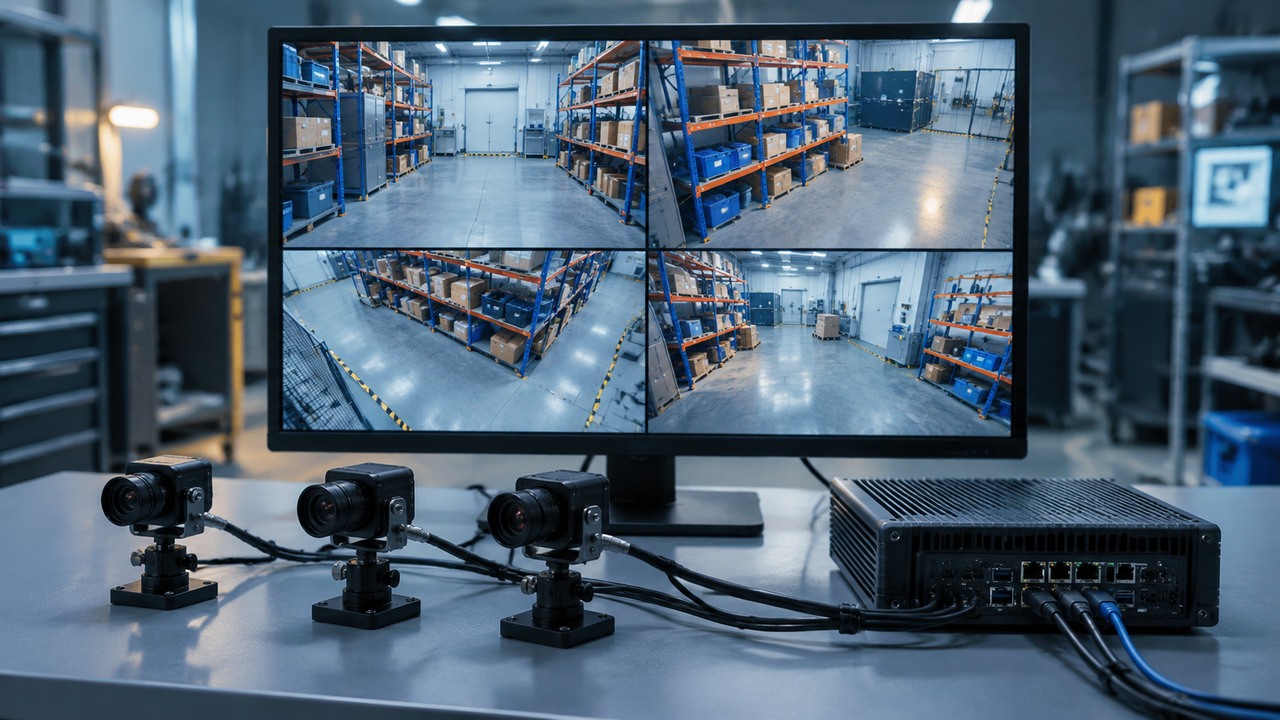
Measure delivered frames, frame age, gaps, and application processing under the intended simultaneous workload. Include representative logging and other robot compute activity. A dashboard showing the requested frame rate is weaker evidence than counters proving which frames arrived, which were processed, and which became too old to use. Define acceptance against the consuming task's needs, not a generic “all cameras working” status.
For example, a hypothetical ten-minute observation at a nominal 30 frames per second corresponds to 18,000 expected frames after the agreed startup interval. Receiving 17,980 leaves 20 to investigate, but the total alone does not reveal whether they were scattered or concentrated in one interruption. Nor does receiving all 18,000 establish that they reached the application promptly. Keep sequence continuity and age measurements alongside the frame count, using a defined clock reference and measurement boundary.
Ask the supplier to deliver the underlying counters and logs with the report. Distinguish deliberate stream shutdowns, startup transients, capture losses, application queue drops, and rejected stale frames. An agreed classification makes it possible to compare two camera combinations fairly. It also gives the service team a baseline when an installed robot later shows a similar symptom.
Agree on the Meaning of Synchronization Before Comparing Cameras
Multi camera synchronization is not a single yes-or-no property. A supplier may mean that cameras receive a common trigger, that corresponding exposures align, that frame numbering stays consistent, or that software can associate timestamps. Those capabilities address different problems and should be purchased as different requirements.
First define why the robot needs alignment. Combining observations of a moving pallet creates a different requirement from collecting separate camera views for an operator. Specify the event that matters to the application and the maximum acceptable mismatch between relevant observations. Derive that tolerance from the task and motion conditions rather than adopting a convenient number from a camera brochure.
The RealSense D457 synchronization document provides a useful product-specific caution. Its depth and RGB triggers are independent, and its described synchronization point is the end of exposure. With automatic exposure, exposure start times can differ. A common trigger therefore does not, by itself, demonstrate equal exposure intervals across a mixed camera installation.
Ask for a timing agreement with observable events
For every stream, request the trigger source, supported operating mode, exposure behavior, timestamp origin, clock domain, and association between timestamp and image. State whether the timestamp represents an exposure event, another sensor event, or host reception. If a driver transforms timestamps into a common clock, require that conversion to be documented along with its behavior after restart.
Resolution and accuracy should remain separate. Stereolabs' timestamp documentation, for example, describes host reception timestamps expressed with nanosecond resolution. The number of digits in that representation is not evidence that two independently exposed images are aligned to a nanosecond.
Use a controlled, observable event and an appropriate measurement method to evaluate the mixed configuration. Document fixed and automatic exposure cases if both will be permitted. Repeat after cold startup, a camera restart, and the longest approved operating period relevant to the application. Record offsets and variation, not just whether the image windows appear to update together.

Frame alignment also leaves geometry unresolved. A camera replacement can change the relationship between its pixels and the robot coordinate system even when its trigger remains correct. Review calibration identity, mounting repeatability, and the application's treatment of uncertainty together. The site's guide to sensor fusion for mobile robot navigation explains why complementary measurements need a coherent interpretation, not merely simultaneous availability.
Finally, successful synchronization is not a functional safety claim. Determine separately whether any camera data participates in a safety-related function and what evidence that function requires. The distinction between safety-rated sensing and navigation perception remains applicable when several cameras share an accurate timing system.
Buy the Software Release That Makes the Mix Work
A unified driver can reduce integration effort while leaving important differences between cameras intact. The purchasing task is to identify which differences the platform handles, which remain exposed to the application, and which configurations the supplier has actually verified. Avoid equating common discovery with common behavior.
Orbbec's GMSL2 integration guide makes a relevant distinction between establishing a link and obtaining valid images through the complete system. Its discussion spans camera firmware, receiving hardware, drivers, SDKs, and the application. For a mixed-brand order, the useful deliverable is the reproducible software package connecting those elements.
NVIDIA's Jetson Linux r36.4 reference documentation shows the configuration work behind an example implementation: virtual-channel identifiers must agree with the receiving side, and sensor and SerDes devices have associated software configuration. Its validated reference uses AGX Orin and IMX390 sensors. Treat it as evidence that configuration matters, not as a universal installation recipe for Thor or unrelated camera models.
Request the installable image or a documented build path, configuration files, package versions, and a manifest of modifications. Include permissions needed to redistribute or maintain relevant software in the deployed fleet. Clarify which party rebuilds components when the approved operating system changes and whether the supplier supports the buyer's production kernel configuration.
Test control behavior as well as image delivery
Ask the application team to list the controls it actually uses: exposure, gain, stream selection, trigger mode, calibration access, temperature reporting, and fault status. For each camera, verify supported ranges, units, defaults, and whether a requested change took effect. Two devices may expose similarly named controls without interpreting every value or transition identically.
A relevant reminder appears in Stereolabs' driver release notes: version 1.4.4 includes a fix for a mixed ZED X, ZED X Mini, and ZED X Nano configuration. Even a combination within one vendor's family can depend on a particular release. A brand list is consequently less useful than a tested version matrix.
Give the released package a unique identifier in the robot build record. Preserve a recovery copy and define the conditions for updating it. A maintenance engineer should not need to download whichever driver happens to be newest to restore a failed unit.
Find Out What One Failed Camera Does to the Others
Mixed-brand integration should be evaluated during controlled faults as well as normal streaming. The objective is to establish the failure boundary: which streams disappear, which controls stop responding, which components reset, and how the application recognizes the resulting condition. The test is especially important where cameras share a receiving board or host service.
Agree on a safe bench procedure before introducing faults. Use supplier-approved power, reset, and disconnection methods; do not assume a connector supports live removal. Keep robot motion disabled or controlled within the site's test procedure. A fault exercise should characterize the system without turning an unsupported service action into an accidental hardware test.
| Controlled test condition | Observe | Purchasing implication |
|---|---|---|
| One camera unavailable at startup | Other streams, startup duration, device identity, diagnostic message | Establishes whether one missing component prevents the whole application starting |
| One stream deliberately stopped through a supported control | Frame freshness detection and neighboring stream continuity | Tests whether missing evidence becomes visible to the consuming software |
| Approved camera restart | Reset scope, stream recovery, timestamp continuity, restored settings | Defines whether recovery is local or requires broader system interruption |
| Host service restart | Camera-to-position mapping and calibration reassociation | Checks that recovery does not silently exchange the meaning of camera inputs |
A successful recovery should mean more than a returning picture. Confirm device identity, intended settings, fresh frames, timing status, and the correct calibration record. State whether an operator action or higher-level authorization is needed before the robot resumes the affected task.
Do not assign a universal maximum recovery time without considering the operation. A docking camera may permit a deliberate pause and retry; loss of an input required for current motion may demand a different response. The compatibility supplier should expose reliable status information. The robot integrator remains responsible for assigning an appropriate operational response to that information.
Approve Replacement Parts Before the First Field Failure

Cross-brand sourcing is useful only if the proposed alternative remains usable when a production component is unavailable. A second camera on a compatibility list is not automatically a replacement for the installed one. Different optics, mounting dimensions, exposure behavior, output formats, and calibration can make substitution an engineering change.
Divide the spare-parts plan into like-for-like service replacements and approved alternatives. For each alternative, state the configuration changes, calibration work, acceptance checks, and software package required. Make its approval specific to a robot variant and camera position. A camera approved for rear observation should not silently become the substitute for a precision docking view.
Require serial-number handling to survive replacement. The application should associate a camera with its intended role through an explicit, maintainable process. Record whether identity follows the device, the receiving port, a configured alias, or a controlled combination. Test the process with a real spare rather than merely describing it in a service manual.
The service kit should contain the approved cable assembly, mounting hardware, installation instructions, configuration reference, and access to the correct calibration procedure. Add the tools actually required to confirm the replacement, including any supplier utility whose license or download access might otherwise delay a repair.
Follow the replacement with a focused return-to-service check. Verify the field of view, secure mounting, image condition, operating profile, timing behavior, and the task affected by that camera. The broader guide to AMR sensor diagnostics, calibration, and maintenance explains why a responding device can still provide measurements that are unsuitable for operation.
Request advance notice of relevant product changes and a procedure for qualifying revised parts. Component continuity is not just the camera's sales lifetime. It also depends on whether the approved receiving hardware, driver branch, and software dependencies remain available long enough to support the fleet.
Compare the Cost of Supported Choices
The cheapest mixed-camera bill of materials may produce the most expensive service arrangement. Compare quotations over the expected deployment and maintenance period, including integration, repeatable builds, regression work, replacement approval, and fault investigation. Separate confirmed costs from assumptions so that a saving remains traceable when the design changes.
Consider a hypothetical fleet of 80 identical robots. A proposed camera mix saves $150 in purchased hardware per robot, or $12,000 overall. Suppose integrating and qualifying that mix requires 100 additional engineering hours at an assumed fully burdened cost of $100 per hour. The first $10,000 of hardware saving is then consumed before any additional field support cost. These figures illustrate a calculation, not market prices or a forecast.
The right conclusion is not that mixing brands is expensive. The same configuration could deliver valuable measurement capability, avoid an enclosure redesign, or provide an approved sourcing alternative. Put those benefits beside the complete cost instead of presenting the unit camera price as the whole business case.
Give one party ownership of the combined incident
Ask who accepts the initial support case when cameras from two suppliers fail only when operated together. A useful agreement names one coordinating owner, the evidence required, escalation partners, response commitments, and responsibility for reproducing the approved combination. Each manufacturer may still own its component warranty; the system issue needs an owner as well.
Write mixed-brand use into the support scope. Confirm whether the approved combination affects any warranty conditions, whether third-party cables or adapters are excluded, and who pays for investigation when the fault crosses supplier boundaries. Request these terms from the actual contracting parties rather than assume that a technology partnership creates a shared warranty.
Also ask what happens when the configuration leaves the approved envelope. Adding a camera, changing its operating profile, or updating its SDK should trigger an identified review process. The contract should make that process predictable enough for product planning, including who decides the necessary validation and how its cost is agreed.
Release the Mix with Evidence That Can Be Repeated
A mixed-brand camera system is ready for procurement when the engineering and commercial records describe the same configuration. The quotation should not promise a broader combination than the test report demonstrates, and the test report should not depend on unavailable development hardware or undocumented manual changes.
A practical release package has six parts: the configuration schedule, numbered connection drawing, concurrent stream test record, timing and calibration record, controlled fault and recovery record, and support and replacement agreement. Each should identify its version and the responsible party. Together they make the compatibility claim reviewable by engineering, purchasing, and service teams.
Before committing the fleet order, have a second engineer reproduce the installation on a production-representative unit using that package. Record any unlisted utility, manual configuration step, private software patch, or supplier intervention needed to succeed. Resolve those dependencies in the release package before treating the build as repeatable. This exercise tests the handover as well as the hardware.
Use the first production units to confirm that the delivered revisions match the approved schedule. A purchasing substitution can otherwise undo the engineering team's work before commissioning begins. Link incoming inspection to the same configuration identifier used in the acceptance report, and route discrepancies to the named technical owner.
Use three explicit outcomes. Approve the configuration when the required evidence is complete. Approve a limited configuration when restrictions are documented and acceptable, such as a reduced stream profile or a specific software release. Keep the proposal in evaluation when a required combination, recovery behavior, or support responsibility remains unresolved. A qualified restriction is more useful than an unrestricted claim that cannot be reproduced.
The direction of the ecosystem is encouraging. Analog Devices' August 2026 OpenGMSL discussion describes work toward broader interoperability. That development can inform future platform strategy, but it does not substitute for evidence about the cameras and software included in today's purchase.
For the AMR buyer, the decisive question is concrete: can the supplier rebuild this exact combination, run the required streams together, explain its timing, recover from a component fault, and support an approved replacement? When the answer is documented, mixing brands becomes a controlled design choice with a usable service plan.
Focused FAQ
Can any GMSL2 camera work with any GMSL2 host?
No. The shared transport label does not establish compatibility across serializer and deserializer variants, electrical arrangements, camera controls, stream formats, host configuration, and software. Ask for the exact camera model and revision in the host supplier's supported configuration, including the other cameras and operating profiles that will run concurrently.
Does a unified camera driver make different brands interchangeable?
It can simplify discovery, setup, and access for supported devices. Interchangeability still depends on the functions the application needs. Check exposure control, calibration access, depth processing, timing, diagnostic reporting, and replacement behavior. A successful image preview does not establish that every required feature has a common implementation.
Can connector shape establish GMSL2 camera connections compatibility?
No. Verify the approved mating parts, electrical assignments, cable assembly, power arrangement, and transport configuration. Mechanical fit is only one requirement. Any adapter or revised cable should be included in the supplier-approved assembly and its validation conditions.
How should buyers evaluate GMSL2 bandwidth?
Start with each active stream's pixel payload, then have the supplier assess the actual transport mode, overhead, receiving interfaces, aggregation, and host workload. Treat a raw pixel calculation as a lower bound. Confirm the full concurrent profile with measured frame delivery and processing behavior under representative robot workload.
Does a shared trigger guarantee useful multi camera synchronization?
No, not by itself. The required timing relationship must be defined and verified. Trigger timing, exposure intervals, timestamp meaning, and clock alignment are different properties. Specify the observation event that matters to the application, measure the mismatch under approved operating modes, and keep timing evidence separate from functional safety claims.
What should be included when purchasing a replacement camera?
Include its approved robot position, hardware and firmware revision, cable assembly, software configuration, calibration requirements, and return-to-service checks. If it is a different model or brand, confirm that it is an approved alternative for the task rather than merely another device the host can detect.
Official Sources
- Advantech: UniCAM on NVIDIA Jetson Thor at GTC Berlin, October 22, 2026.
- Analog Devices: MAX96717/F/R User Guide, Version 0.
- Analog Devices: Public GMSL2 Hardware Design and Validation Guide, Revision 3.
- NVIDIA: Jetson Virtual Channel with GMSL Camera Framework, Jetson Linux r36.4 reference.
- RealSense: D457 Hardware Synchronization, V0.11.
- Stereolabs: Sensors Time Synchronization.
- Stereolabs: ZED X GMSL2 Drivers and Release Notes.
- Orbbec: GMSL2 Camera Integration for Robotics.
- Analog Devices: OpenGMSL, From Proprietary Advantage to Ecosystem Innovation, August 26, 2026.


